Beyond RAM: Unlocking Peak Performance on Your Mac Mini M4 Pro
Many Mac users, even with powerful M4 Pro models, experience performance slowdowns and mistakenly attribute them to insufficient RAM. This deep dive reveals that often, the culprit lies in poor digital hygiene and inefficient usage habits, not hardware limitations. We explore practical strategies, from managing browser tabs to optimizing storage, to revitalize your Mac's speed without costly upgrades. Discover how a 'digital spring cleaning' can transform your computing experience.
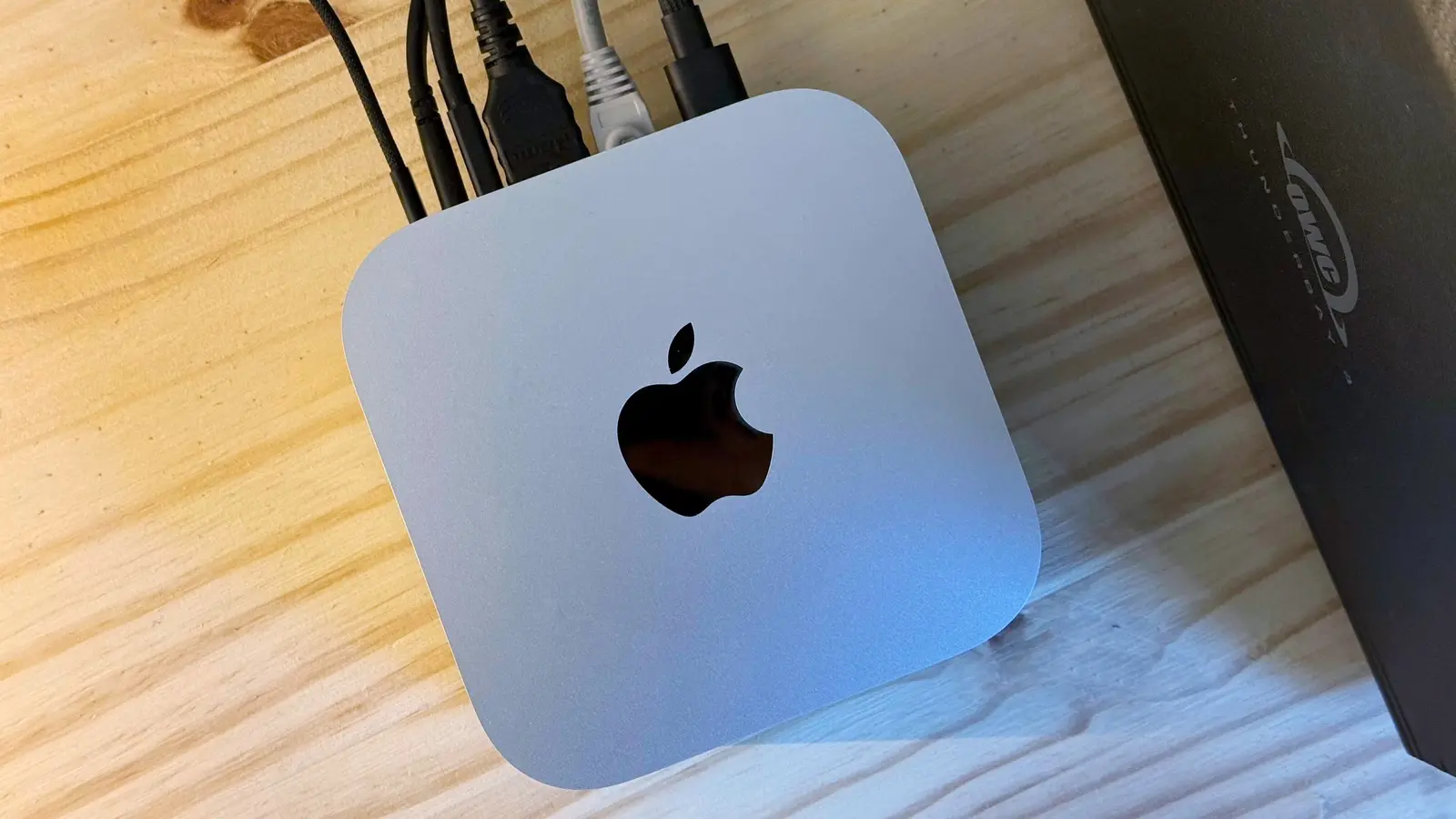
In the fast-paced world of technology, where every new product promises unprecedented speed and efficiency, it’s easy to fall into the trap of believing that the latest hardware is the ultimate solution to all performance woes. This narrative is particularly pervasive in the Apple ecosystem, where users often equate a sluggish experience with an immediate need for more RAM or a newer chip. However, as one M4 Pro Mac mini owner recently discovered, the truth can be far more nuanced and, thankfully, much less expensive than a hardware upgrade. Their journey from frustration to optimized performance offers a compelling case study for countless Mac users facing similar challenges.
For years, the mantra has been 'more RAM equals faster computer.' While fundamentally true to a certain extent, this oversimplification often overlooks the critical role of software management and user habits. The M4 Pro chip, a marvel of modern engineering, is designed to handle demanding tasks with ease. Yet, even with such formidable power, a year into ownership, the Mac mini in question began exhibiting signs of fatigue: applications lagged, multitasking became a chore, and the overall user experience deteriorated. The initial, almost instinctive conclusion was that the 8GB of unified memory was simply not enough. This perspective is understandable, given the historical context of computing where RAM was often the primary bottleneck. But the M-series chips, with their unified memory architecture and highly optimized macOS, challenge these traditional assumptions.
The Illusion of Insufficient RAM: A Modern Mac Conundrum
The perception that 8GB of unified memory is insufficient for professional use often stems from comparisons with traditional x86 architectures, where RAM management differs significantly. Apple's M-series chips integrate memory directly into the System on a Chip (SoC), allowing for incredibly fast data access and efficient resource allocation. macOS is also designed to aggressively compress inactive memory and leverage fast SSDs as swap space, making 8GB feel more like 16GB or even 24GB in many real-world scenarios. Therefore, before jumping to conclusions about hardware limitations, it's crucial to examine the software environment.
The user's experience highlights a common pitfall: the accumulation of digital clutter. Dozens of Chrome tabs, numerous background applications, and a general lack of system maintenance can quickly overwhelm even the most powerful machines. Each open tab, especially in memory-hungry browsers like Chrome, consumes significant resources. Background processes, often unnoticed, silently chip away at available RAM and CPU cycles. Over time, this digital sprawl creates a cumulative drag, leading to the very slowdowns that users mistakenly attribute to inadequate hardware. The real issue isn't the Mac mini's inherent capability, but rather how its formidable resources are being managed and consumed.
Digital Hygiene: The Unsung Hero of Performance
Just as a physical space benefits from regular cleaning, a digital workspace thrives on good hygiene. The solution to the Mac mini's sluggishness wasn't a trip to the Apple Store for an upgrade, but a systematic approach to decluttering and optimizing its software environment. This 'digital spring cleaning' involves several key areas, each contributing to a more responsive and efficient system.
Browser Tab Management: This is often the biggest culprit. Modern web browsers, while powerful, can become significant memory hogs. Tools like tab suspenders (e.g., The Great Suspender or OneTab for Chrome, or built-in features in Safari) can automatically unload inactive tabs, freeing up valuable RAM. Regularly closing unnecessary tabs and bookmarking important ones for later access can also make a dramatic difference. Consider using Safari, which is generally more memory-efficient on macOS than Chrome, if your workflow allows.
Startup Items and Background Processes: Many applications automatically launch at startup or run in the background, consuming resources even when not actively in use. Reviewing and disabling unnecessary login items in System Settings (or System Preferences for older macOS versions) can significantly reduce startup time and free up RAM. Similarly, checking Activity Monitor for resource-intensive background processes and quitting those that aren't essential can provide an immediate boost.
Storage Optimization: A nearly full hard drive can also impede performance, as macOS needs free space for temporary files, swap memory, and system operations. Regularly deleting old files, emptying the Trash, and uninstalling unused applications can free up significant space. macOS also offers built-in storage optimization tools that can identify large files, old backups, and other data that can be moved to iCloud or deleted.
Application Management: While the M-series chips are adept at handling multiple applications, running dozens simultaneously, especially demanding ones, will inevitably lead to resource contention. Developing habits of quitting applications when not in active use, rather than just minimizing them, can help. Furthermore, ensuring all applications are updated to their latest versions is crucial, as developers often release updates that include performance optimizations and bug fixes specifically for newer macOS versions and M-series chips.
Expert Analysis: Shifting Paradigms in Computing
This experience underscores a significant shift in computing paradigms. Historically, hardware was often the primary bottleneck, and upgrades were a common, albeit expensive, solution. However, with the advent of highly optimized, integrated architectures like Apple's M-series, the focus is increasingly shifting towards software efficiency and user behavior. As tech analyst Dr. Anya Sharma notes, "The M4 Pro is an incredibly powerful chip, designed to handle professional workloads. When users experience slowdowns, it's rarely a fundamental flaw in the hardware itself, but rather a reflection of how that hardware is being utilized. We're seeing a return to the importance of digital discipline." This perspective is echoed by numerous IT professionals who advocate for regular system maintenance as a cornerstone of long-term performance.
Furthermore, the psychological aspect plays a role. The initial investment in a high-end machine like the Mac mini M4 Pro often creates an expectation of flawless, perpetual performance. When this expectation isn't met, the immediate reaction is to blame the hardware, rather than scrutinize one's own digital habits. This cognitive bias can lead to unnecessary expenditures and continued frustration. Understanding the capabilities and limitations of modern operating systems and hardware, combined with proactive management, is key to maximizing the lifespan and performance of your devices.
The Path Forward: Sustained Performance and User Empowerment
The story of the slow Mac mini M4 Pro serves as a powerful reminder that technology, no matter how advanced, requires mindful interaction. The solution wasn't a costly upgrade but a commitment to better digital habits. By implementing strategies for managing browser tabs, optimizing startup items, maintaining storage, and being judicious with open applications, the user transformed their experience, restoring their Mac mini to its expected levels of responsiveness and speed. This approach not only saved money but also fostered a deeper understanding of their machine and its operating system.
For readers, the implications are clear: before considering an expensive hardware upgrade, conduct a thorough audit of your digital environment. Embrace digital hygiene as a routine practice. The M4 Pro Mac mini, like its M1, M2, and M3 predecessors, is a highly capable machine. Its performance potential is immense, but it requires a conscious effort from its user to unlock and maintain that potential. In an era where sustainability and efficient resource utilization are paramount, optimizing your existing hardware through smart software management is not just a practical choice, but an environmentally responsible one. Empower yourself with knowledge and good habits, and your Mac will thank you with years of robust performance.
Stay Informed
Get the world's most important stories delivered to your inbox.
No spam, unsubscribe anytime.
Comments
No comments yet. Be the first to share your thoughts!